
First Day of School Checklist

Version 2.1 by Christine Sklareski on 2025/03/06 15:23

Before Coming to School on the First Day

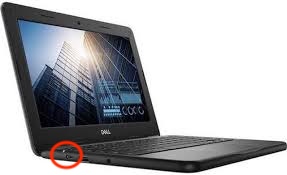
Fully charge the Chromebook using the left charging port, see figure 1.

Information

While plugged in, the charging indicator light will be orange when charging or green when full.

Make sure the Chromebook powers on.

Warning

If the Chromebook does not work, use another Internet-enabled device to submit a tech request in IncidentIQ.


Open Chromebook showing keyboard, trackpad, display screen, and left USB-C charging port.

Figure 1. Open Chromebook showing keyboard, trackpad, and display screen.


Section 2

Content 2
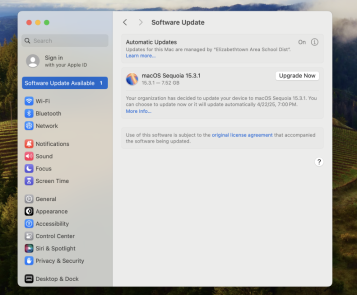
Apple System Settings Software Update Available screen

Figure 1. 


Section 3

Content 3

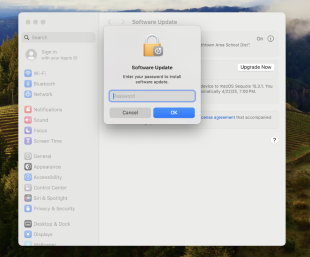
Software Update screen prompting a password

Figure 2.